—
Introduction – Why “Responsive” Is No Longer Optional
Imagine a visitor lands on your website from a sleek smartphone, scrolls down, and the layout suddenly breaks, images spill out of their containers, and navigation disappears into a sea of unreadable text. Frustrated, they click the back button and never return.
That scenario is all too common for sites that weren’t built with responsive web design in mind. In today’s multi‑device world, a responsive site isn’t a nice‑to‑have—it’s a business imperative. Google’s mobile‑first indexing, the surge of voice search, and the ever‑growing share of traffic coming from tablets and wearables all demand a site that adapts fluidly to any screen size.
In this guide we’ll demystify responsive design, walk you through the core techniques (fluid grids, flexible images, media queries, and more), and give you actionable steps you can implement today. Whether you’re a seasoned front‑end developer, a WordPress site owner, or a marketer looking to boost SEO, you’ll finish this article with a solid roadmap for creating a site that looks great, loads fast, and ranks higher—on any device.
—
1. The Foundations of Responsive Web Design
1.1 What “Responsive” Really Means
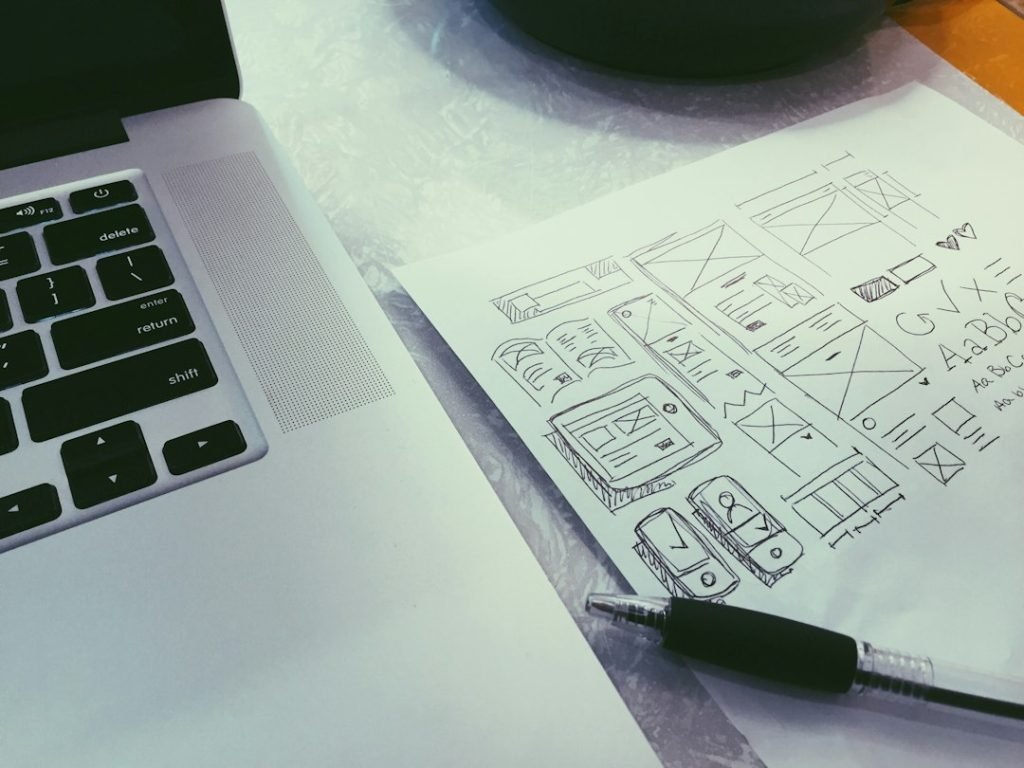
Responsive web design (RWD) is an approach rather than a single technology. It means your layout, images, typography, and interactive elements respond to the viewport dimensions, orientation, and resolution of the device being used. Instead of building separate “mobile” and “desktop” versions, you create one flexible codebase that adjusts on the fly.
Key benefits
- Improved user experience (UX): Consistent navigation and readability across devices.
- Better SEO: Google rewards mobile‑friendly sites with higher rankings.
- Reduced maintenance: One URL, one set of analytics, one content management workflow.
- Perfect for navigation bars, card rows, and simple column stacks.
- Use `flex-wrap: wrap;` to allow items to drop to the next line when space runs out.
- Ideal for complex page structures (header, sidebar, main, footer).
- Define columns with fractional units (`fr`) so they automatically resize.
- Responsive images: Use `srcset` and “ to serve different resolutions.
- Videos: Wrap `
- SVG icons: Scale perfectly without quality loss; use `stroke-width` relative units for crispness.
- Critical CSS: Inline the CSS needed for above‑the‑fold content to reduce render‑blocking.
- Defer non‑essential JS: `defer` attribute loads scripts after HTML parsing.
- Bundle wisely: Use tools like Webpack, Vite, or Parcel to split code into chunks per page.
- Set Cache‑Control headers (`max-age=31536000, immutable`) for static assets.
- Serve assets from a Content Delivery Network (CDN) to reduce latency worldwide.
- Use HTTP/2 (or HTTP/3) for multiplexed requests, allowing many small files without overhead.
- Add JSON‑LD schema (e.g., `WebSite`, `Article`, `FAQ`) to help search engines understand your content.
- Ensure canonical URLs are consistent across devices—no separate mobile subdomains (`m.example.com`).
- Verify mobile‑friendly test in Google Search Console; fix any “viewport not set” or “text too small” warnings.
- Goal: Provide a hero banner, navigation, sidebar with recent posts, main article area, and footer.
- Tech stack: HTML5, CSS3 (Flexbox + Grid), minimal vanilla JavaScript for the mobile menu.
- Target breakpoints: 480 px (mobile), 768 px (tablet), 1024 px (small desktop), 1440 px (large desktop).
1.2 Core Principles
| Principle | Description | Real‑world Example |
|———–|————-|——————–|
| Fluid Grids | Layout dimensions expressed in relative units (percentages, `fr` in CSS Grid) instead of fixed pixels. | A three‑column layout that collapses to two columns at 768 px and a single column on smartphones. |
| Flexible Images & Media | Images scale within their containers using `max-width: 100%` and `height: auto`. | Hero images that never overflow the screen width, no matter the device. |
| Media Queries | CSS rules that trigger at defined breakpoints (e.g., `@media (max-width: 600px)`). | Switching from a horizontal navigation bar to a hamburger menu on small screens. |
| Mobile‑First Strategy | Start styling for the smallest screens, then add enhancements for larger viewports. | Base styles target phones; larger screens get additional columns and richer visuals. |
| Performance‑First Mindset | Optimize assets (images, fonts, scripts) for speed on slower connections. | Serving WebP images and lazy‑loading below‑the‑fold content. |
1.3 The Mobile‑First Workflow
1. Set the viewport meta tag – tells browsers to respect your CSS width settings.
“`html
“`
2. Write base styles for the smallest common denominator (usually ≤ 480 px).
3. Add breakpoints using `@media` to progressively enhance the layout.
4. Test early and often with device emulators, real phones, and tools like Google Lighthouse.
By the time you finish step 3, you’ll have a single, adaptive design that works everywhere—no separate “mobile site” needed.
—
2. Building the Responsive Layout
2.1 Fluid Grids with CSS Flexbox & Grid
Both Flexbox and CSS Grid are modern layout modules that make fluid designs a breeze.
#### Flexbox for One‑Dimensional Layouts
“`css
.nav {
display: flex;
flex-wrap: wrap;
justify-content: space-between;
}
.nav a {
flex: 1 1 120px; / grow, shrink, base width /
}
“`
#### CSS Grid for Two‑Dimensional Layouts
“`css
.page {
display: grid;
grid-template-columns: 1fr 3fr; / sidebar 25%, content 75% /
gap: 1rem;
}
@media (max-width: 768px) {
.page {
grid-template-columns: 1fr; / single column on tablets /
}
}
“`
Tip: Combine both—use Grid for the overall page skeleton, Flexbox for internal components like card decks.
2.2 Breakpoints: How Many Do You Really Need?
A common myth is that you need a breakpoint for every device. In reality, content dictates breakpoints, not device dimensions. Follow these steps:
1. Design at the “natural” width where your layout looks best (often 1200 px for desktops).
2. Resize the browser and watch for points where content breaks or looks cramped.
3. Set a breakpoint just before that happens.
Typical breakpoint ranges (adjust to your project):
| Range | Approx. Devices | Usage |
|——-|—————-|——-|
| ≤ 480 px | Small phones | Mobile‑first base styles |
| 481 – 768 px | Large phones, small tablets | Collapse sidebars, stack columns |
| 769 – 1024 px | Tablets, low‑res laptops | Two‑column layouts |
| 1025 – 1440 px | Standard desktops | Full‑width content, extra padding |
| > 1440 px | Large monitors, TVs | Wide hero sections, extra columns |
Avoid over‑engineering – each breakpoint adds CSS weight and testing overhead.
2.3 Flexible Images, Videos, and SVGs
“`html

“`
2.4 Typography That Scales
Responsive typography improves readability and reduces zooming. Use relative units (`rem`, `em`, `vw`) rather than fixed pixels.
“`css
html { font-size: 100%; } / 16px base /
body { font-size: 1rem; } / 16px /
h1 { font-size: clamp(2rem, 5vw, 3rem); }
p { line-height: 1.6; }
“`
`clamp()` sets a minimum, preferred, and maximum size, ensuring headings never become too small on phones or too huge on widescreens.
2.5 Navigation Patterns for Every Device
| Pattern | When to Use | Implementation Highlights |
|———|————-|—————————-|
| Horizontal bar | Desktop & large tablets | Flexbox with `justify-content: space-between` |
| Hamburger menu | Mobile & small tablets | Checkbox hack or JavaScript toggle; ARIA attributes for accessibility |
| Off‑canvas drawer | Mobile, progressive web apps | TranslateX animation; focus trap for keyboard users |
| Bottom navigation | Mobile‑first apps | Fixed at viewport bottom; icons with labels |
Accessibility note: Always provide visible focus states and use `aria-expanded` attributes when toggling menus.
—
3. Performance & SEO – The Hidden Pillars of Responsiveness
Responsive design is only as good as the site’s speed and search visibility. Google’s Core Web Vitals (LCP, CLS, FID) directly influence rankings, especially on mobile.
3.1 Optimizing Images for Every Viewport
1. Choose modern formats – WebP, AVIF, or JPEG‑XL provide 30‑50 % smaller files with comparable quality.
2. Compress wisely – Tools like ImageOptim, Squoosh, or the `sharp` Node library.
3. Serve appropriately sized images – `srcset` + `sizes` (as shown earlier).
4. Lazy‑load below‑the‑fold media – Native `loading=”lazy”` attribute works for most browsers.
“`html
<img src="hero-800.webp"
srcset=”hero-400.webp 400w,
hero-800.webp 800w,
hero-1200.webp 1200w”
sizes=”(max-width: 600px) 100vw, 50vw”
loading=”lazy”
alt=”Responsive hero image”>
“`
3.2 Minify, Combine, and Defer CSS & JavaScript
“`html
“`
3.3 Leveraging Browser Caching & CDNs
3.4 Structured Data & Mobile‑First SEO
3.5 Testing Responsiveness & Accessibility
| Tool | What It Checks |
|——|—————-|
| Google Lighthouse | Performance, SEO, Accessibility, Best Practices |
| Browser DevTools Device Toolbar | Breakpoints, viewport scaling |
| WebPageTest | Real‑world load times on different connection speeds |
| axe DevTools | Accessibility violations (color contrast, ARIA) |
| Screen Readers (NVDA, VoiceOver) | Keyboard navigation & screen‑reader experience |
Regular testing ensures your responsive site remains fast, usable, and compliant with evolving standards.
—
4. Real‑World Implementation: Step‑by‑Step Case Study
Let’s walk through a practical example: converting a classic three‑column blog layout into a fully responsive, SEO‑optimized site.
4.1 Project Overview
4.2 HTML Skeleton
“`html